Themepack - App Icons, Widgets: Personalization App
Themepack - App Icons, Widgets is a personalization app by YoloTech that lets users change home screen themes, icons, widgets and wallpapers.
Download Themepack · v1.0.0.4399Themepack - App Icons, Widgets provides more than 10,000 widgets together with icon packs, wallpapers and DIY icon editing tools for the home screen. It is free to download, shows ads, offers in-app purchases and requires Android 7.0 or later. Version 1.0.0.4348 arrived on September 24, 2026, and the app holds a 4.63 rating from 1.35 million ratings.
- Version
- 1.0.0.4399
- Requires Android
- 7.0
- Updated
- Nov 20, 2026
- Installs
- 100M+
- Rating
- ★ 4.63 (1,362,288)
- Category
- Personalization
- Developer
- YoloTech
- Content rating
- Teen
- Package
- com.iconchanger.widget.theme.shortcut
- Free
- ✓ · Contains ads · In-app purchases
Screen gallery
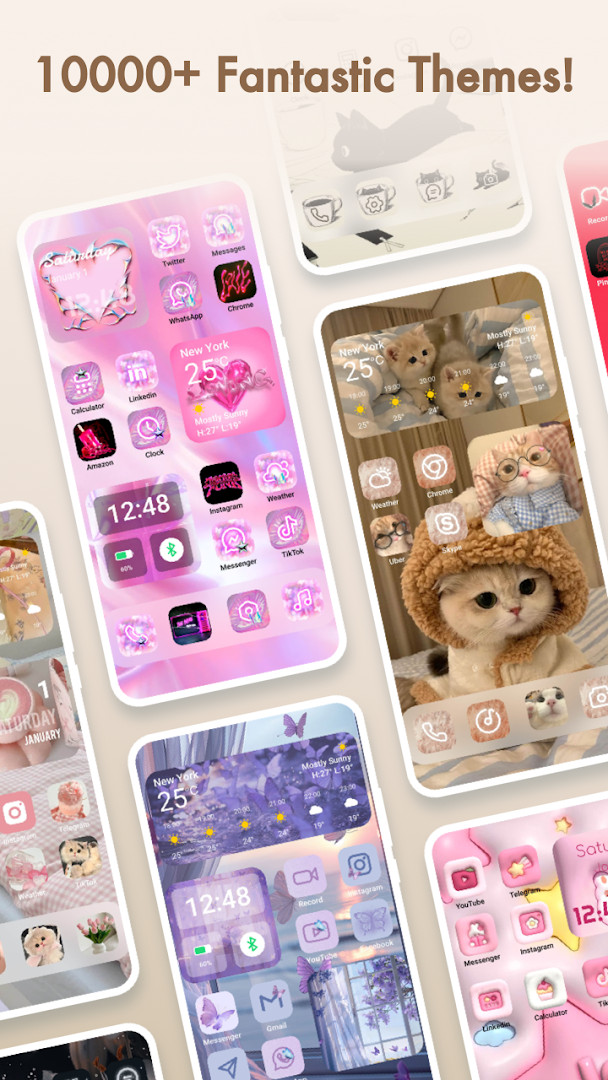
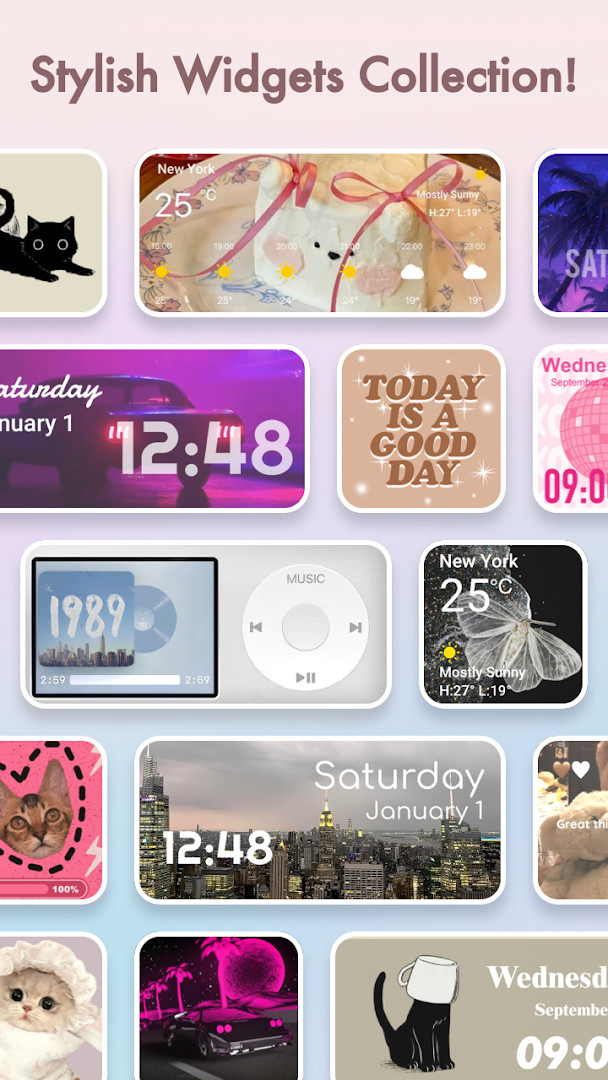
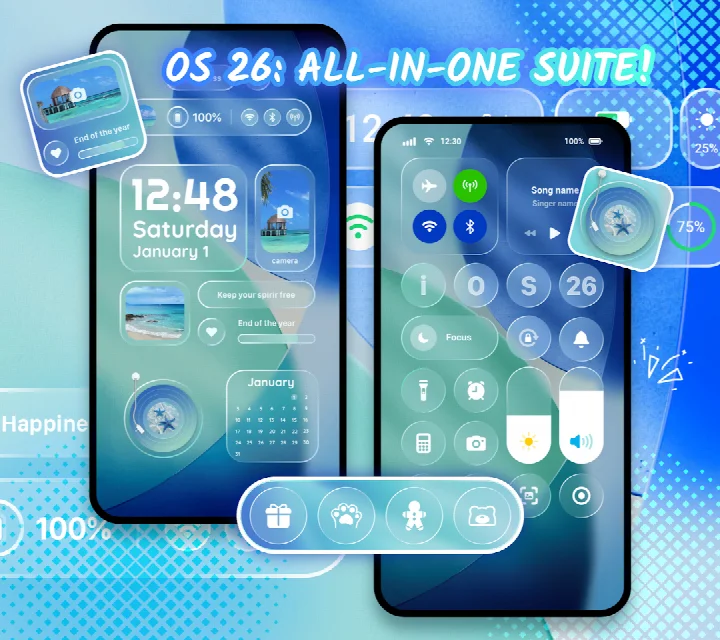
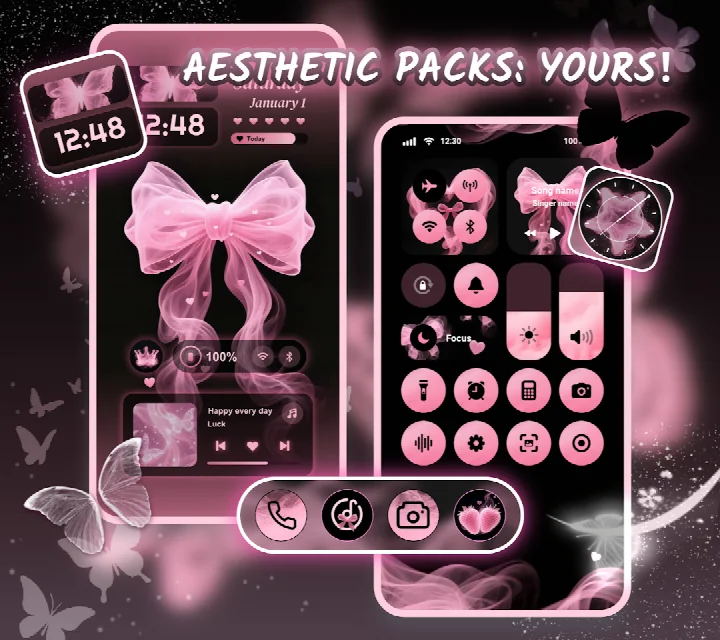
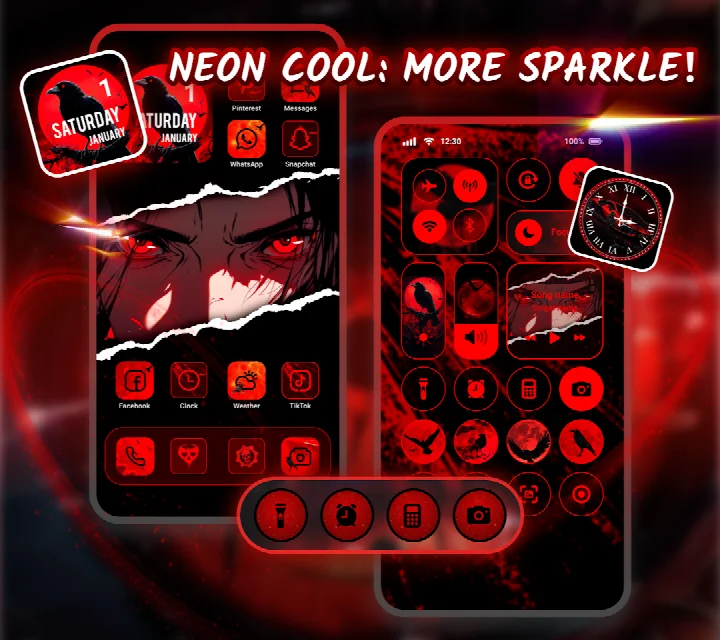
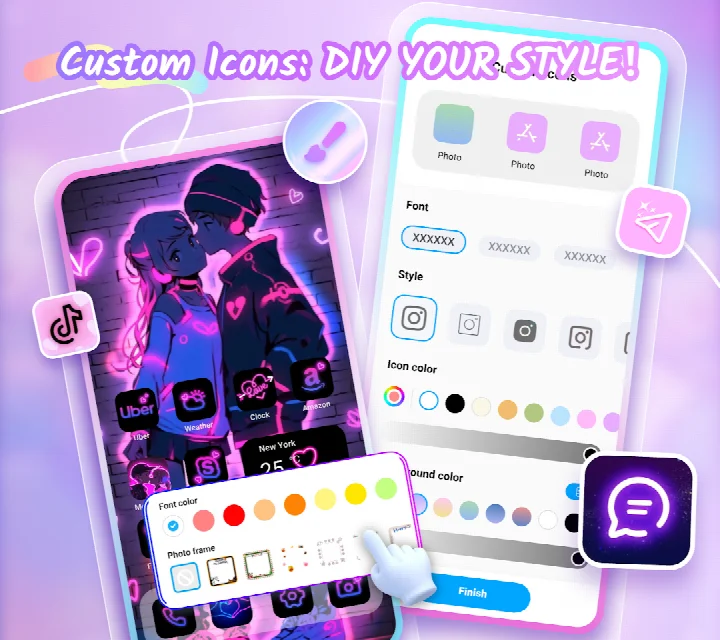
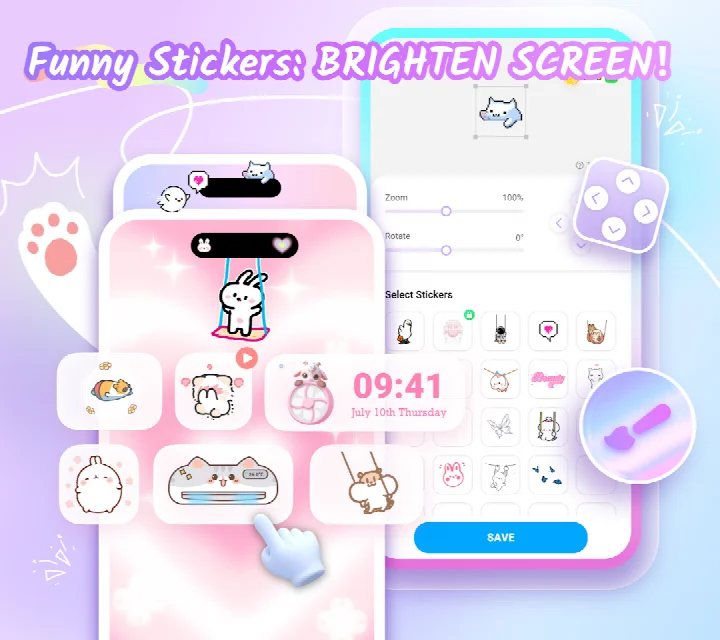
Themepack - App Icons, Widgets is a personalization app by YoloTech that lets Android users replace the default home screen look with themes, wallpapers, widgets, and custom icons. It is aimed at anyone who wants to make their device feel personal, from casual users seeking a quick visual refresh to hands-on owners who enjoy fine-tuning every element.
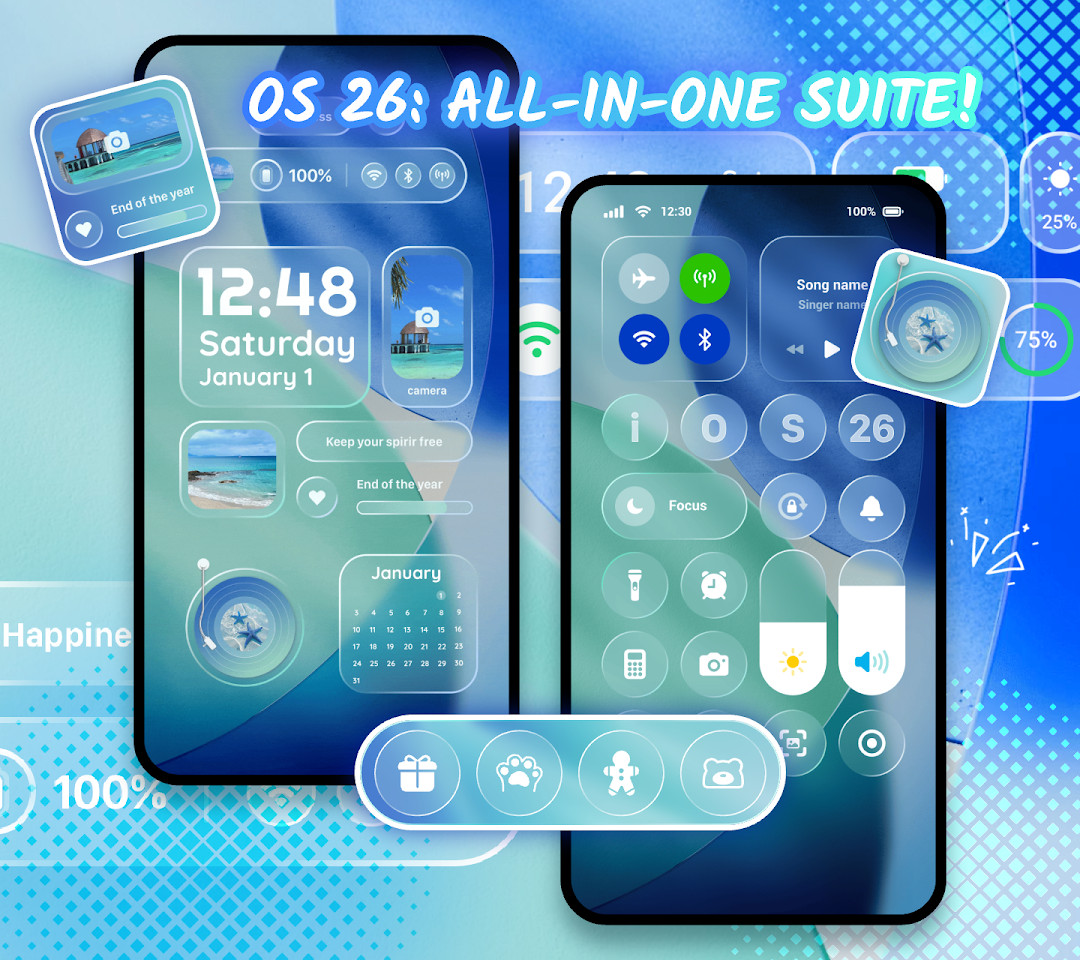
The library contains 10000+ functional widgets, icons, and wallpapers. Widget options include battery status, calendars, clocks, weather, and control panel tools, plus dynamic image effect widgets. For icons, you can adjust styles, fonts, colors, transparency, and background colors, and even rename apps with creative fonts. You can also pull images from your own gallery to craft personal widgets.
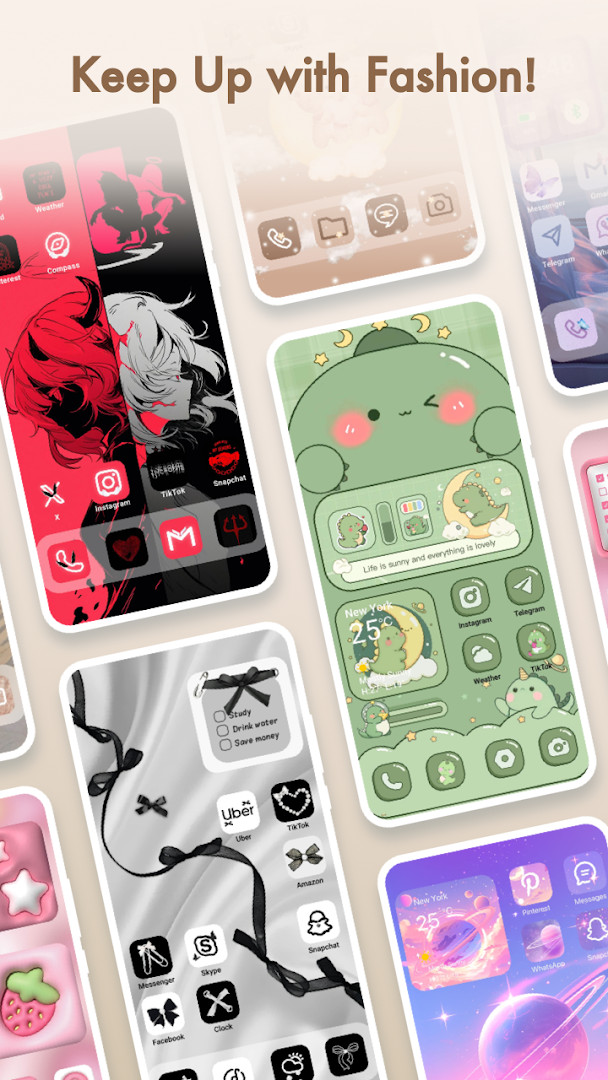
Theme collections are grouped by mood, covering K-pop, anime, neon, sports, and festival styles, and most changes can be applied with a single tap. The app runs on Android 7.0 and newer and was updated in September 2026. Note that the control center features require Accessibility Service access, which the developer states does not collect or store user data.
Key features
- Over 10,000 widgets, icons, and wallpapers to mix and match
- Battery widgets that display device power information
- Calendar, clock, weather, and control panel widgets
- Dynamic image effect widgets for a livelier screen
- DIY icon customization for styles, fonts, colors, transparency, and backgrounds
- Rename icons using cool fonts
- Build widgets from your own gallery images
- Aesthetic themes such as K-pop, anime, neon, sports, and festival
- One-click theme, widget, and icon replacement
- Designs crafted by top designers
How to install
- Tap the download button on this page to get the APK file (file size: n/a).
- If prompted, allow your browser or file manager to install apps by turning on the 'Install unknown apps' setting.
- Open the downloaded APK from your Downloads folder or notification.
- Tap Install and wait for the process to complete.
- Open Themepack - App Icons, Widgets and begin customizing your home screen.
- Make sure your device runs Android 7.0 or higher before installation.
Pros
- Vast built-in library of widgets, icons, and wallpapers
- Deep icon customization with fonts and transparency controls
- Themes for many tastes, from K-pop to neon and sports
- Quick one-tap application of selected looks
- Free to download and use
- Regular updates, with version 1.0.0.4348 released in September 2026
Cons
- Contains ads
- Includes in-app purchases
- Requests permissions for location, storage, and photos/media
- Control center widgets require Accessibility Service access
- Content is rated Teen, so some themes may not suit younger children
Previous versions
| Version | Size | Requires Android | Updated |
|---|---|---|---|
| 1.0.0.4399 | — | 7.0 | Nov 20, 2026 |
| 1.0.0.4389 | — | 7.0 | Nov 5, 2026 |
| 1.0.0.4348 | — | 7.0 | Sep 24, 2026 |
Android users on version 7.0 or newer who enjoy customizing the look of their home screen, including fans of K-pop, anime, neon, and festival aesthetics, as well as people who want quick one-tap theme changes without dealing with complex launchers.
Start with a ready-made theme to get a feel for the app, then use the DIY icon and widget tools to personalize further. If you plan to create widgets from your own images, grant photo and media access when prompted. Review the Accessibility Service prompt carefully, as it is needed only for control center features and the developer states no user data is collected through it.
Permissions
Frequently asked questions
Which widget types are available and can they be customized with my own pictures?
The app includes battery, calendar, clock, weather, and control panel widgets, as well as dynamic image effect widgets. You can open your gallery, pick images, and use them to personalize these widgets.
What does the DIY icon feature let me adjust?
With DIY icons, you can change icon styles, fonts, colors, transparency levels, and background colors. You can also rename icons using cool fonts to match your preferred applications.
What kinds of wallpaper themes are offered?
There are aesthetic backgrounds, K-pop wallpapers, anime, neon, sports, and festival themes. They are designed for one-click addition to your home screen.
Why does the app request Accessibility Service permission?
The permission is used to display the control center view on your Android screen and enable features like do-not-disturb mode, audio recording or screen capture, and music or volume controls. According to the app, it does not disclose user information in connection with this access and stores no user data for it.
Which Android versions are supported and what is the latest version?
The app requires Android 7.0 or newer. The current listed version is 1.0.0.4348, with the latest update released on 2026-09-24.
For anyone tired of the same default home screen, Themepack - App Icons, Widgets offers a flexible and fast way to refresh device looks with thousands of widgets, icons, and wallpapers. Just keep the ads, in-app purchases, and requested permissions in mind before installing.
Similar apps





Updated: Nov 20, 2026