ClipShare for Android
ClipShare is a cross-platform clipboard and file sharing tool from Thevindu Wijesekera for moving text, files, and screenshots between an Android phone and a desktop.
Download ClipShare · v4.3.0ClipShare is aimed at users who regularly need to move copied text, files, and screenshots between a phone and a desktop without relying on messaging apps or cloud uploads. The Android app is free, requires Android 7.0 or newer, and has a compact install size of 0.9 MB.
- Version
- 4.3.0
- Size
- 0.9 MB
- Requires Android
- 7.0
- Updated
- Oct 19, 2026
- Category
- Tools
- Developer
- Thevindu Wijesekera
- Package
- com.tw.clipshare
- Free
- ✓
Screen gallery
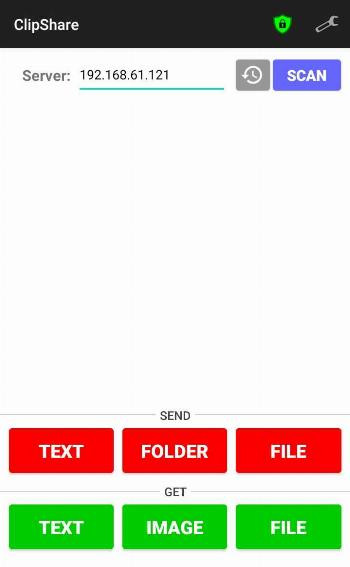
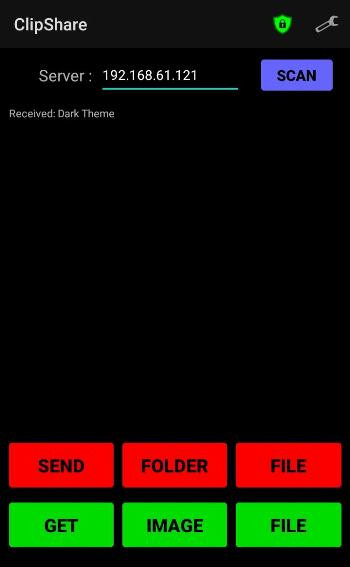
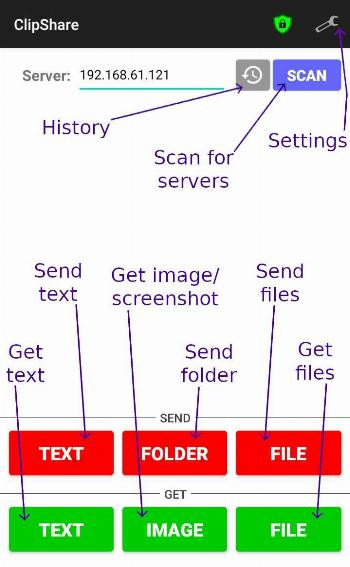
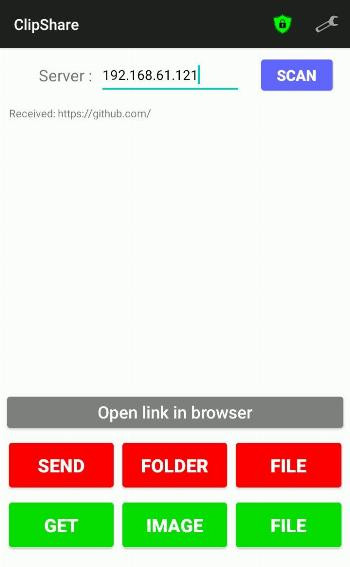
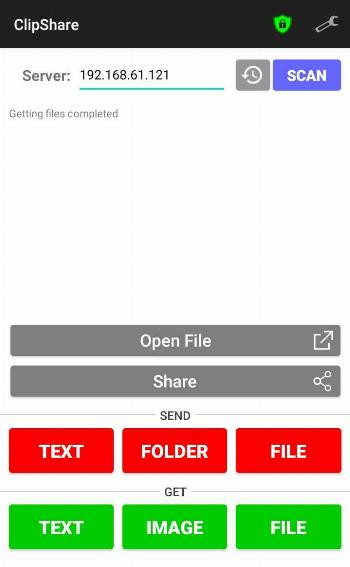
ClipShare is a system utility by Thevindu Wijesekera that lets you share the clipboard between an Android phone and a desktop. It solves the common problem of moving text, files, images, and screenshots across devices without using cables or cloud storage. The app works as an Android client that connects to a desktop server over the local network, allowing you to send copied content in either direction and even pull a screenshot from your desktop to your phone. Because it is lightweight and open source under the MIT license, it offers a straightforward way to keep your clipboard in sync between devices.
Key features
- Share copied text between an Android phone and a desktop.
- Share files and copied images across devices.
- Receive a screenshot of the desktop on the mobile device.
- Open received links, files, and images directly from the app.
- Re-share received files and images with other installed apps.
- Scan the local network to find server devices to connect with.
- Enable secure mode and add trusted devices for safer sharing.
- Import and export settings to back them up or move them to another device.
How to install
- Tap the download button on this page to get the ClipShare APK file.
- If your Android device asks for permission, allow your browser or file manager to install apps by enabling the 'Install unknown apps' setting.
- Open the downloaded APK file from your notifications or file manager.
- Tap Install and wait for the process to finish.
- Open ClipShare and connect it to the desktop server program running on your computer.
- The APK file is about 0.9 MB, and the app requires Android 7.0 or newer.
Pros
- Very small download size of about 0.9 MB, so it installs quickly and uses little storage.
- Open source under the MIT license, which allows inspection and modification.
- Supports both text and file sharing, not just plain clipboard text.
- Includes security options like secure mode and trusted device restrictions.
- Can scan the local network automatically to find available server devices.
- Settings can be imported and exported for easy backup or migration.
Cons
- Requires a separate desktop server program to function, so it is not a standalone solution on the phone alone.
- Initial setup may feel technical for beginners because it involves connecting to a server on another device.
- The app is aimed at users who already have a desktop available, which limits its usefulness for phone-only workflows.
- Some configuration options, such as secure mode and trusted devices, may require extra attention to set up correctly.
Previous versions
| Version | Size | Requires Android | Updated |
|---|---|---|---|
| 4.3.0 | 0.9 MB | 7.0 | Oct 19, 2026 |
| 4.2.0 | 0.9 MB | 7.0 | Sep 25, 2026 |
| 4.1.4 | 0.9 MB | 9 | Aug 21, 2026 |
| 4.1.3 | 0.9 MB | 9 | Aug 7, 2026 |
ClipShare is best for people who frequently work with both an Android phone and a Windows, macOS, or Linux desktop and want a quick way to move copied text, files, or screenshots between them. Beginners who are comfortable following a short setup process and have a desktop machine available will find it useful. It is less suited to users who only use a phone or who prefer a fully self-contained app without an external server component.
Start by installing the desktop server on your computer and making sure both devices are on the same local network. If you use secure mode, add only the devices you recognize as trusted to prevent unintended sharing. The auto-send feature can save time, but you may want to limit it to trusted devices first.
Frequently asked questions
What does ClipShare let you do between your phone and a desktop?
ClipShare is an Android client that works with a server program on your desktop to share copied text, files, and screenshots between the two devices. It also lets you pull a screenshot from the desktop to your mobile, and open received links, files, and images directly from the app.
How secure is ClipShare's connection, and what trust options are available?
The app includes a secure mode that lets you add trusted devices. You can also choose to auto-send files and text, and restrict auto-sending to only those trusted devices. The description does not specify encryption details, but it emphasizes secure sharing and trusted-device controls.
What happens if the app is left idle?
ClipShare can automatically close itself when idle. The idle time duration is adjustable, so you can set how long it waits before shutting down to save resources.
Can I use ClipShare on older Android devices?
The current version requires Android 7.0 or higher, but a legacy support APK is available for Android versions 7 to 9, which covers those older OS versions.
Does ClipShare support scanning for servers over IPv6, and can I save device addresses?
Yes, the app can scan the local network to find server devices, and it includes an option to enable IPv6 network scanning. You can also save the addresses of previously connected devices for easier reconnection.
Can I back up or transfer ClipShare's settings?
Yes, ClipShare lets you import and export its settings. This makes it easy to back up your configuration or move it to another device.
For anyone who regularly switches between a phone and a desktop, ClipShare removes the friction of moving text, files, or screenshots around. Its small footprint and open-source MIT license make it a practical, low-risk option for everyday clipboard sharing.
Similar apps


Updated: Oct 21, 2026